Arma 3 1 KM Challenge
This was a challenge I started sometime in November 2020 started by one of the guys in my clan, Dalken. The point of the challenge was open up an island in Arma 3 mission editor and click Ctrl + R. The first spot that the camera appear on, within that square, you can only make a mission that take place in that KM square. The idea is that you make as many missions as you can within that square.
Originally I thought this was just a quick challenge to make a quick mission so I can get something out quick in half an hour “Burger King” style mission. Turns out the challenge was to make several missions so the guys brought up the idea of having multiple missions in a mission. Since Arma 3 got that “Export to SQF” button and I haven’t tried it yet, this seems like a nice opportunity to give that feature a spin. It’d be nice for dynamic missions.
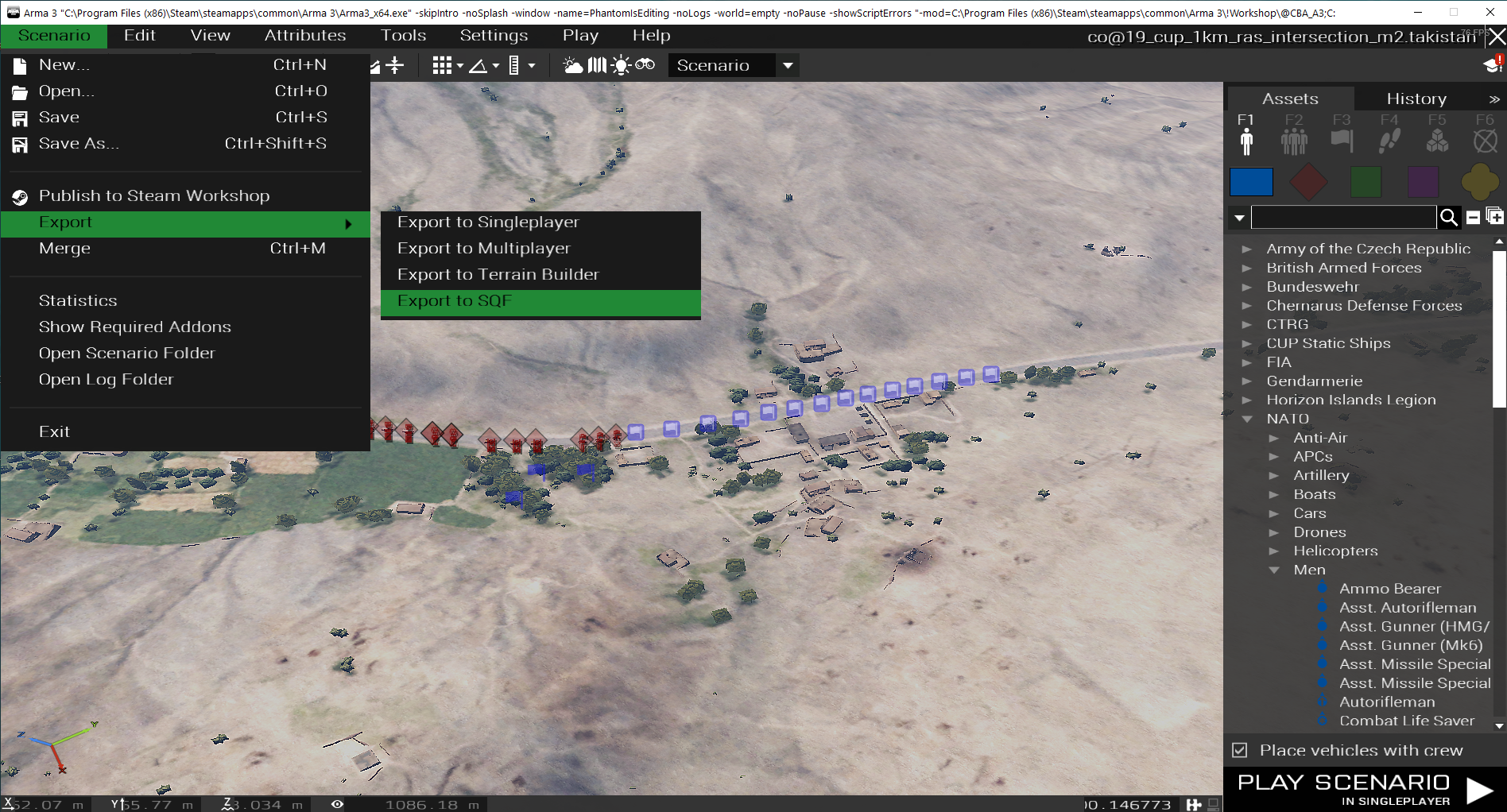
The Start
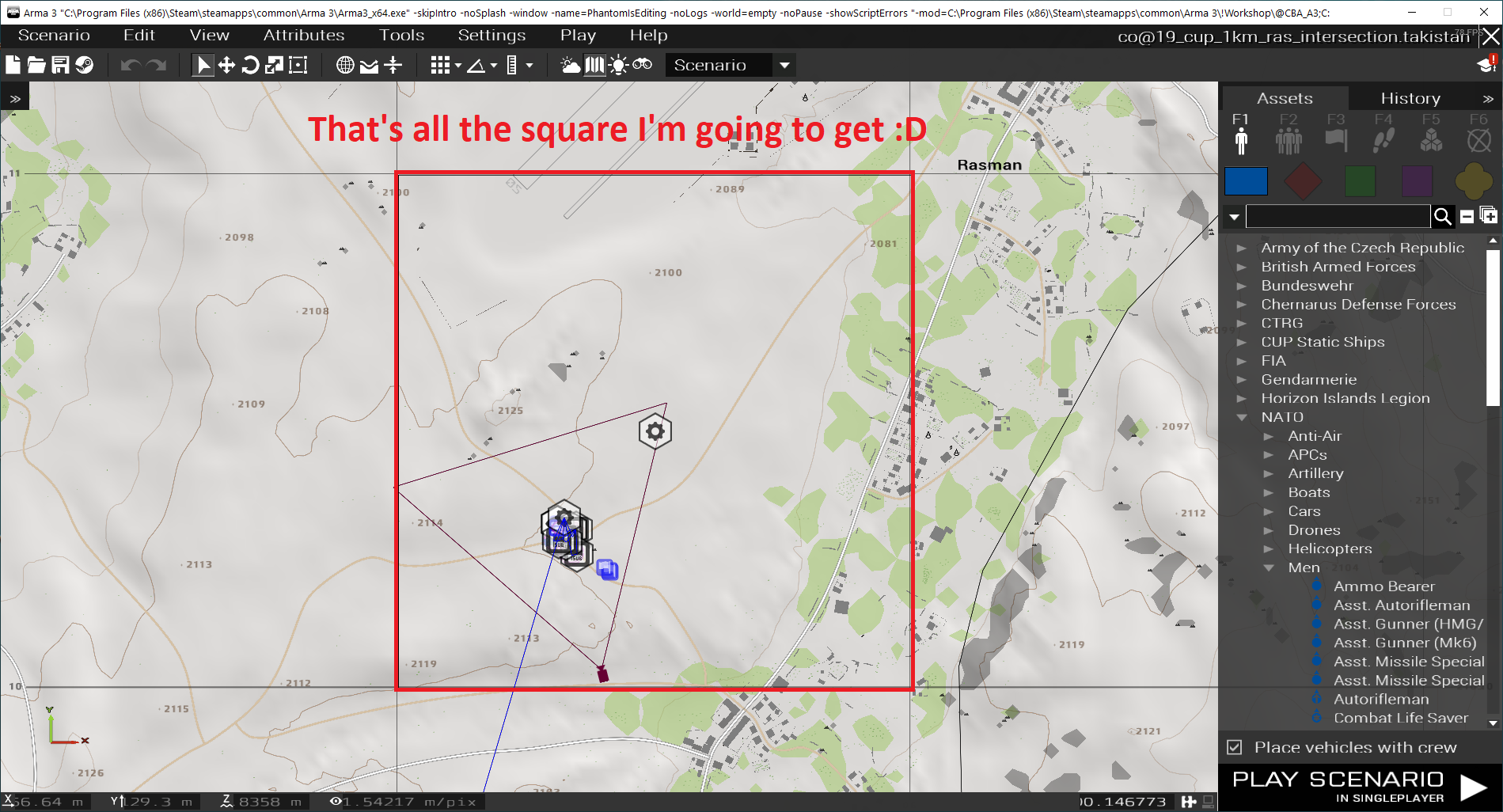
I ended up having to make a mission in the middle of some road on the way to Rasman. I don’t get the airfield. I don’t get much of the town. All is just a lot of desert, some crossroad, and a lot of nothing. Well, it’s time to get creative. In those scenarios, most of the ideas I’d have in mind would revolve around an ambush. So I just made 1 mission where you play as a US convoy that got ambushed by terrorists. I wanted a high player count to cover for the coop nights at the time since we’ve been having around the 16-19 player range on Sundays lately and with that many people, I figured it’d be nice to have a joint ops and give players some APCs and tanks. I figured I’d have this mission as an experiment for my suicide gas tanker truck script as well so I slapped some units around the map, player ambushed by IED point, and time for when enemies will strike. All in all that didn’t take me too long. 🙂
The Actual Challenge
After releasing the first portion of my mission, I realize it was actually multiple missions in one. I heard about the “Export to SQF”. I figured I’d try and utilize the multiplayer parameters I’ve done for previous dynamic missions and have it randomized between missions if not selected. Since you can now export missions into separate sqf files and import them in as a composition later. This make making multiple missions in one easier so I decided I’ll have 5 missions on a square before calling it a day.
I basically made a few new checklist for each mission I make to add the new mission to my parameters.hpp and import it through my main.sqf function call. I fill in the new debriefing details in my debriefing.hpp file and then I create a new missionX.sqf and briefingX.sqf that’s imported through main if it was ever called.
...

selectedMission = "Missions" call BIS_fnc_getParamValue;
if (selectedMission == 0) then {
	selectedMission = selectRandom [1, 2, 3, 4, 5];
};
...

if (selectedMission == 1) then {
	call compile preProcessFileLineNumbers "scripts\mission1.sqf";
	call compile preProcessFileLineNumbers "scripts\briefing1.sqf";
	...
};
...
The way I approach creating a new missionX.sqf and briefingX.sqf is similar to how’d I make a mission and briefing for just about any other mission. I just have an init call main and randomly select which mission.sqf I want to call which will load that specify mission.
While I was working on the 3rd-5th mission, I realize I could create just a composition of spawns or enemies so I can load up the mission first, and then after another random method to pick a random composition to load the enemies. This not only make the main mission dynamic, but each individual mission more dynamic and replayable at the same time. I can’t load 2 mission.sqf at the same time in the main method, but within the mission itself, I could have some triggers that’ll load the enemy preset after the fact.
Individual Spawn vs Export to SQF Enemy Spawn
Another thing I found out is that I can use export to SQF for is to also make a wave of enemy, call
call compile preProcessFileLineNumbers "scripts\spawn\enemy.sqf"; as many times as I want and the wave of enemies that I place along with their loadout and waypoint will head over and do what I need them to do.
There’s an advantage and disadvantage to the above method compare to creating just a regular spawn script with only the classnames of the needed units. The advantage of the above method to export the mission to SQF with just the units is that I can just slap some units down, set their loadouts, export the mission and call it a day. I know exactly what I place and where they’ll go.
The disadvantage is that it’ll take up more filesize since it’s like a copy of another mission.sqm; a full on mission rather than just the classnames, waypoints, and init loadout scripts. With a regular script, I can also have parameters so I can dynamically set the waypoints or any other settings on how I can call the script, recycle the units by deleting groups after all units are dead, and more flexibility with what I can choose to do. The filesize will be smaller as well and I can spawn the waypoint to a different area depending on where I need the units to go. With the export to sqf, the waypoints are in a fixed area so if I want the mission in another section of the map, I’m going to make another copy of the same script but pointing the waypoints in a different area.
All in all, if I’m just trying to slap something up fast and call it a day, the export to sqf method works really well. There’s less testing I have to do since I can just preview it in the mission editor before I export whereas writing the script from scratch I’d have to troubleshoot it more.
Future Endeavors
The export to sqf feature is such a nice feature. I’d probably use it A LOT more for future missions and increase the replayability of my future missions. It’s such a powerful feature for making Arma 3 missions and honestly, I don’t think exporting a handful of SQF would be too bad. Like there’s 2 MB missions for Arma 3 compare to a few kilobytes files back in the Operation Flashpoint days. If there’s 10 MB missions, I blame it on people adding large music files or HD images. A few scripts these days with large hard drive and internet speed is not that bad.
Conclusion
All in all, the challenge that was originally what I thought to be one quick bang of a mission turned out into a much bigger experiment that allows me to play around with some features that’d be good for future dynamic missions. The mission went from one defense mission to 5 different mission that’s randomized with each mission with random variables inside of it. I’d look forward to the next KM square challenge or use that “Export to SQF” feature to increase the replayability of some future missions! 🚀
This ended up taking me to January - February of 2021 to finish since I had to put it aside many times in order to handle some life and work situation during unstable time with COVID. I’m back on stable grounds in 2021, but I still got a giant TODO list of things I want to get done 🙂.